

secuOffice
All Your Payment Data at a Glance
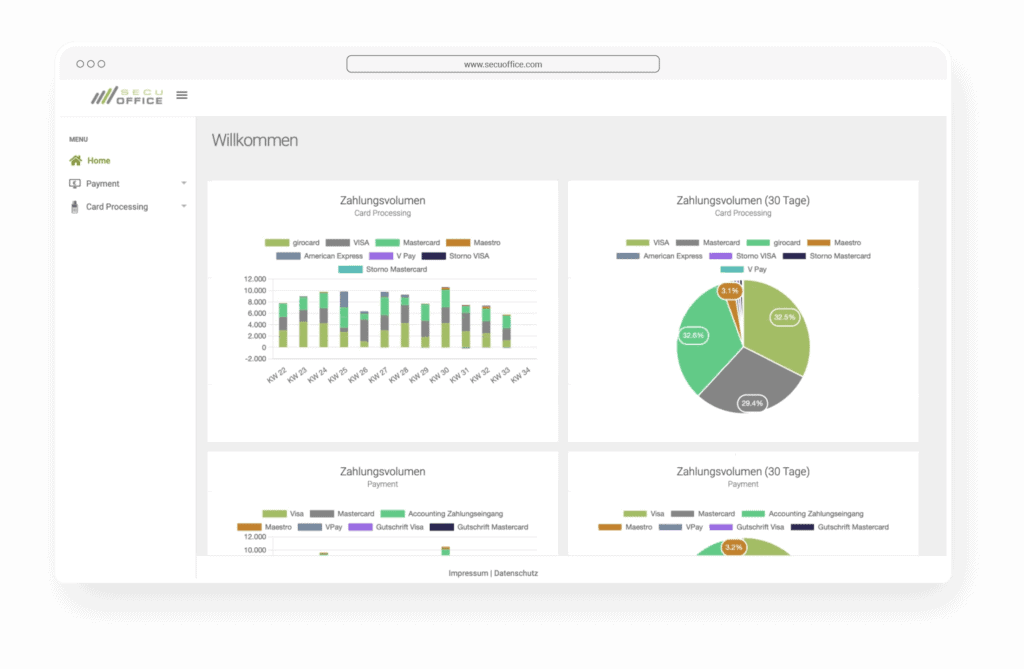
With your personal login to the secuOffice online merchant portal, you can view transactions, sales, payouts, payment advice notes, and invoices in one place.
Data from the secupay solutions you use comes together in secuOffice, whether it relates to point-of-sale transactions, payment processing, payouts, loyalty programmes, or platform payments. You can analyse this data in the portal, export it, or use interfaces to integrate it into your own systems.
The Benefits to You
How secuOffice Supports Your Payment Processes
Track Payment Status
View transactions, payouts, and status information in one place. See which transactions have been created, completed, or cancelled, and which are still open.
Reconcile Payouts
Match payouts to the relevant transactions, end-of-day reports, or payout records. This makes it easier to reconcile payments and payouts with payment advice notes and your accounting records.
Download Payment Advice Notes and Invoices
Download payment advice notes, fee invoices, and accounting data for use in bookkeeping, tax advice, or internal record-keeping.
Export Data
Use CSV and PDF exports for reporting, analysing branch data, preparing year-end accounts, or using the data in your own workflows.
Manage Transactions
Depending on the solution you use, you can cancel transactions, issue credits, send dispatch notifications, process refunds, and carry out other actions directly in the portal.
Connect Your Systems
Interfaces let you integrate a wide range of data and functions with accounting and ERP systems, platforms, or back-office workflows.
FAQ
Frequently Asked Questions about secuOffice
You can view transactions, sales, payouts, payment advice notes, and invoices in one place. This makes reconciliation easier, reduces manual follow-up work, and helps with accounting, reporting, and customer service.
The information available depends on your solution. For example, you can view payment statuses, transactions, end-of-day reports, payouts, payment advice notes, invoices, Paymentlinks, MOTO transactions, and payout data, as well as card and voucher activity.
Für Buchhaltung, Steuerberatung und interne Auswertungen lassen sich Transaktions- und Abrechnungsdaten als CSV oder PDF exportieren. So können Zahlungsavise, Auszahlungen oder Kassendaten leichter weiterverarbeitet werden.
You can export transaction and accounting data as CSV or PDF files for bookkeeping, tax advice, and internal analysis. These exports simplify further processing of payment advice notes, payout records and till data.
secuOffice is used with all secupay solutions that process payments, payouts, or transactions. Whenever secupay processes payments, it records the associated data in the portal so you can track the payments.
secuOffice is included with the secupay solution you use. The functions available depend on your products and the features enabled for your account.
Yes. secuOffice runs in a web browser, so you can use it at work or on a smartphone or tablet when you’re on the go.
We’re Here to Help
Any Questions?
Want to know which secuOffice functions
are relevant to your payment solution? We’ll be happy to advise you.